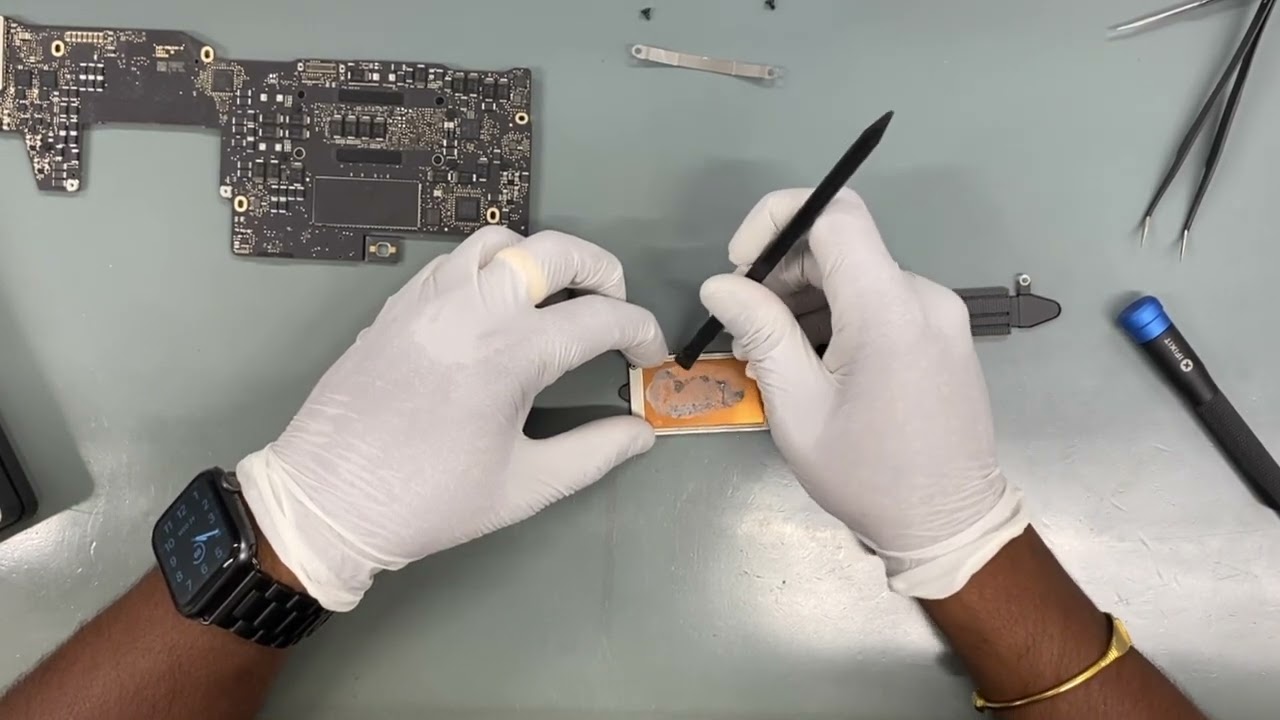
Logic Board Replacement: Fix Your Mac the Right Way
Mac devices are known for their reliability, performance, and sleek design. However, like any electronic device, they are not immune to hardware problems. One of the most serious issues a Mac user can face is logic board failure. When this happens, many people assume their device is beyond repair. In reality, with proper diagnosis and professional logic board replacement, your Mac can often be restored to full functionality.
In this guide, we’ll explain what the logic board does, why it fails, how replacement works, and how it compares with other common repairs such as LCD replacement and display replacement. Whether you’re experiencing sudden shutdowns, screen issues, or performance drops, this article will help you make informed decisions.
What Is a Logic Board and Why Is It Important?
The logic board is the central hub of your Mac. It connects and controls all major components, including:
· Processor (CPU)
· Memory (RAM)
· Storage
· Graphics unit
· Power circuits
· Input and output ports
In simple terms, the logic board acts as the “brain” of your device. Every task, from opening applications to charging the battery, depends on it. When the logic board malfunctions, your Mac may become unstable or stop working completely.
Because of its importance, logic board replacement is considered one of the most advanced and critical repairs in Mac servicing.
Common Signs You May Need Logic Board Replacement
Not every Mac problem requires a full logic board replacement. However, certain symptoms strongly suggest board-level issues.
1. Mac Won’t Turn On
If your Mac shows no signs of life despite charging and troubleshooting, the logic board may be damaged.
2. Random Shutdowns and Restarts
Unexpected restarts, freezing, or kernel panics can be linked to faulty circuits on the logic board.
3. No Display or Flickering Screen
Sometimes users assume the issue is with the screen, but logic board faults can also prevent proper display output.
4. Overheating Issues
Damaged power or thermal circuits can cause excessive heat, affecting performance and battery life.
5. Charging Problems
If your Mac doesn’t charge or shows inconsistent charging behavior, the logic board’s power management system may be failing.
6. Peripheral Devices Not Working
USB ports, Wi-Fi, Bluetooth, or audio problems may indicate logic board damage.
If you notice multiple symptoms at once, it is best to seek professional diagnosis.
What Causes Logic Board Failure?
Understanding the causes can help you prevent future damage.
Liquid Damage
Spilled water, coffee, or other liquids are the leading cause of logic board failure. Even small amounts of moisture can corrode circuits over time.
Power Surges
Unstable electricity or faulty chargers can damage sensitive components.
Overheating
Poor ventilation, dust buildup, or heavy workloads can cause overheating, stressing internal circuits.
Physical Impact
Dropping your Mac can crack solder joints or damage internal connectors.
Manufacturing Defects
In rare cases, factory defects may lead to early failure.
Logic Board Replacement vs. LCD Replacement vs. Display Replacement
Many users confuse different types of Mac repairs. Let’s clarify the differences.
Logic Board Replacement
This involves repairing or replacing the main circuit board. It is required when internal processing, power, or connectivity systems fail.
LCD Replacement
The LCD is the internal screen panel. If your display shows lines, black spots, dead pixels, or discoloration, LCD replacement may be needed.
Display Replacement
Display replacement usually refers to replacing the entire screen assembly, including glass, backlight, and frame. It is often required after physical damage.
Sometimes, screen issues are caused by logic board faults rather than display damage. A professional diagnosis ensures you receive the correct repair and avoid unnecessary expenses.
How Professionals Perform Logic Board Replacement
Logic board replacement is not a simple DIY task. It requires advanced tools, technical expertise, and precision.
Step 1: Diagnosis
Technicians use specialized equipment to test circuits, voltage levels, and components. This helps determine whether repair or full replacement is needed.
Step 2: Data Protection
Before starting, important data is backed up whenever possible.
Step 3: Device Disassembly
The Mac is carefully opened, and internal parts such as battery, storage, and cooling system are removed.
Step 4: Board Repair or Replacement
Depending on damage, technicians may:
· Repair specific components (micro-soldering)
· Replace the entire logic board
Step 5: Reassembly and Testing
After installation, the device is reassembled and tested for performance, stability, and safety.
This process ensures your Mac works reliably after repair.
Is Logic Board Replacement Worth It?
Many users wonder whether replacing the logic board is worth the investment. The answer depends on several factors.
Consider Replacement If:
· Your Mac is relatively new
· Other components are in good condition
· Repair cost is reasonable compared to replacement
Consider Upgrading If:
· The device is very old
· Multiple components are failing
· Repair cost is close to buying a new Mac
A professional technician can help evaluate your options honestly.
How to Prevent Future Logic Board Damage
While some issues are unavoidable, many can be prevented with proper care.
Use Quality Chargers
Always use certified chargers and cables.
Avoid Liquids Near Your Mac
Keep drinks away and use protective covers if necessary.
Maintain Proper Ventilation
Do not block vents and clean dust regularly.
Handle with Care
Use padded bags and avoid dropping your device.
Update Software Regularly
Firmware and system updates can improve stability and thermal management.
Preventive care can significantly extend your Mac’s lifespan.
When to Seek Professional Help
Attempting DIY repairs for logic board issues often leads to more damage. You should consult a professional if:
· Your Mac won’t power on
· You see multiple hardware errors
· Previous repairs failed
· You experience liquid damage
Certified technicians have the tools and experience to diagnose problems accurately and recommend the right solution, whether it’s logic board replacement, LCD replacement, or display replacement.
How Logic Board Repair Improves Device Performance
After proper logic board replacement, many users notice:
· Faster boot times
· Stable system performance
· Improved battery behavior
· Reliable connectivity
· Reduced overheating
Restoring the core hardware brings your Mac back to its intended performance level.
Final Thoughts
Logic board failure can be stressful, especially when important data and daily tasks are involved. However, it does not always mean the end of your device. With professional logic board replacement, many Macs can be restored to full working condition.
Understanding the difference between logic board replacement, LCD replacement, and display replacement helps you make better repair decisions. More importantly, choosing expert diagnosis and quality service ensures long-term reliability.
By taking preventive measures and seeking timely support, you can extend your Mac’s lifespan and continue using it confidently for years to come.
If you’re experiencing performance issues, power problems, or display concerns, don’t ignore the signs. Early action can save both time and money while keeping your device running smoothly.
Post Author: admin